
01
How to reach us
Blucollarz is a hiring platform for blue-collar workers and the teams that hire them. For product or account issues while you are signed in, start with in-app Help — not email. Help already knows your profile type (candidate, recruiter, or admin), walks through the problem, and can create a support ticket for our team.
02
Channels
Support (fallback email)
support@blucollarz.comUse only if you cannot sign in. Prefer in-app Help for bugs, interviews, KYC, and profile issues while logged in.
Sales & recruiter access
gtm@blucollarz.comCompany access requests, hiring volume discussions, and onboarding for hire workspaces.
Press
press@blucollarz.comMedia inquiries, briefing requests, and official statements about Blucollarz.
03
In-app Help (preferred)
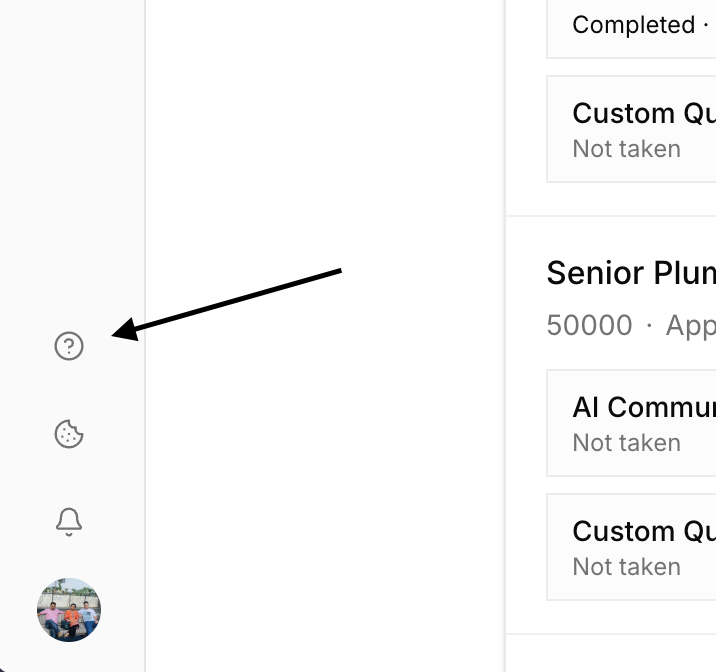
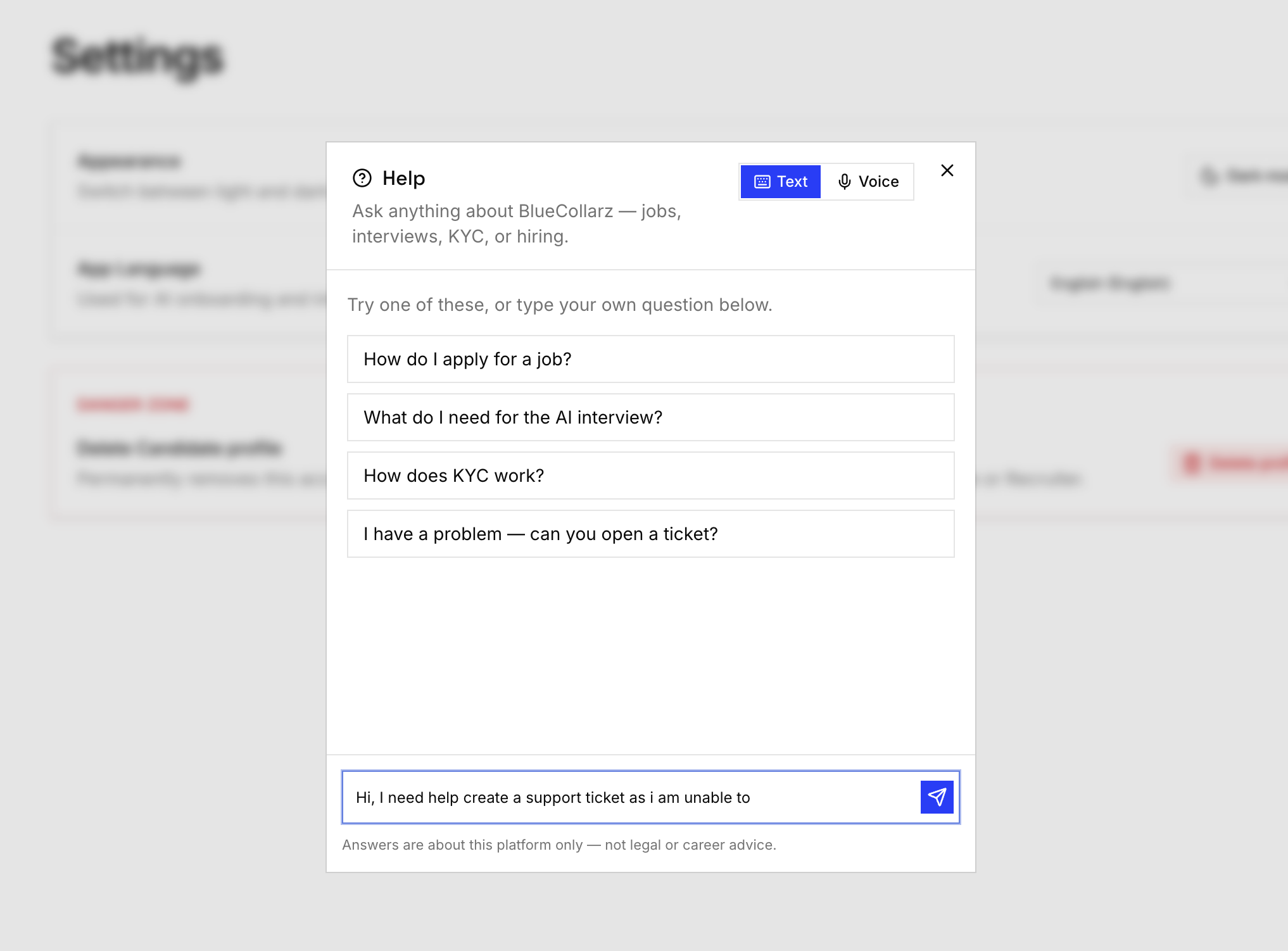
After you sign in with Google, use the Help control in the left rail (desktop) — it sits just above cookie preferences. Help opens a chat where you describe the problem. The agent clarifies what is wrong, offers to open a ticket, asks if you want to add anything else, then files a structured ticket for admins (summary, issue category, seriousness, priority, and the chat transcript).
- 01
Sign in
Use Google on Blucollarz so Help can attach your account, email, and profile type (candidate, recruiter, or admin).
- 02
Open Help
In the left rail, click the Help (?) control above Cookies. On smaller screens, open the same control from the app chrome where Help appears.
- 03
Describe the problem
Say what you were doing, what went wrong, and the page you were on. Answer any short clarifying questions.
- 04
Confirm the ticket
When Help offers to create a ticket, accept. If it asks “anything else?”, add notes or say no. You should get a ticket id confirmation.
04
Support email
If you cannot reach Help (for example sign-in is broken), email support@blucollarz.com. Prefer Help whenever you are signed in so tickets include your transcript and profile automatically.
Common support topics
Sign-in
Google OAuth failures, unexpected redirects, session loops.
Onboarding
Resume PDF parse issues, missing required fields, voice mic permissions.
Interviews
Camera/mic/screen-share requirements, empty recordings, device gate on phones.
KYC
Failed authenticity checks, deferred PAN/Passport undertaking, document mismatch to profile.
05
Sales & recruiter access
Hire accounts are provisioned by Blucollarz. There is no public “become a recruiter” signup. To hire on Blucollarz, contact sales — we enable hire access for your team from the admin console.
- 01
Email gtm@blucollarz.com
Subject line “Recruiter access request” helps routing.
- 02
Describe your hiring need
Roles, locations, and volume — see checklist below.
- 03
Receive onboarding steps
We enable hire on your account and reply with profile completion guidance.
- 04
Publish and review
Complete company profile, post roles, and use the applicant sheet.
06
Press
Media inquiries: press@blucollarz.com. Include your outlet, deadline, and topic. For company background, see About, Mission, and Vision.
07
What to include
| Request type | Include |
|---|---|
| In-app Help ticket | Just describe the problem in Help — account, profile type, and transcript are captured automatically |
| Support email (fallback) | Account email, profile type (work/hire/admin), URL, steps to reproduce, screenshots if safe |
| Recruiter access | Company name, website, locations, role types, monthly volume, contact person |
| Press | Outlet, journalist name, deadline, questions or angle |
08
Response times
Tickets created through Help appear for our admin team under Support. We aim to acknowledge business inquiries within two business days. Complex product investigations may take longer; clear reproduction detail speeds things up. Urgent production outages for active hiring teams should say “urgent” in the subject (email) or in the Help conversation and include your company name.
- Sunday–Thursday business hours follow UAE working patterns
- We may ask for a screen recording for interview or KYC issues
- We will never ask you to paste full government ID numbers into Help or email
09
Location
Blucollarz is rooted in Dubai, UAE, and built for cross-border hiring corridors into the Gulf and other global hubs. We do not publish a walk-in retail address for drop-in visits; commercial conversations run through email, and product support through Help first.